How it works
A camera that knows what a swing looks like.
SwingMirror does three things in a loop: it tracks your body, it recognises the shape of a swing in how your hands move, and it replays the seconds around it. Everything runs on the phone, and none of it needs a tap.
Detection
Four phases, read from your hands.
Apple’s on-device body tracking gives the app your joints thirty times a second. It watches where your hands are relative to your shoulders and hips, how fast they move, and in which direction. The phase rail at the bottom of the live screen is that state machine, made visible.
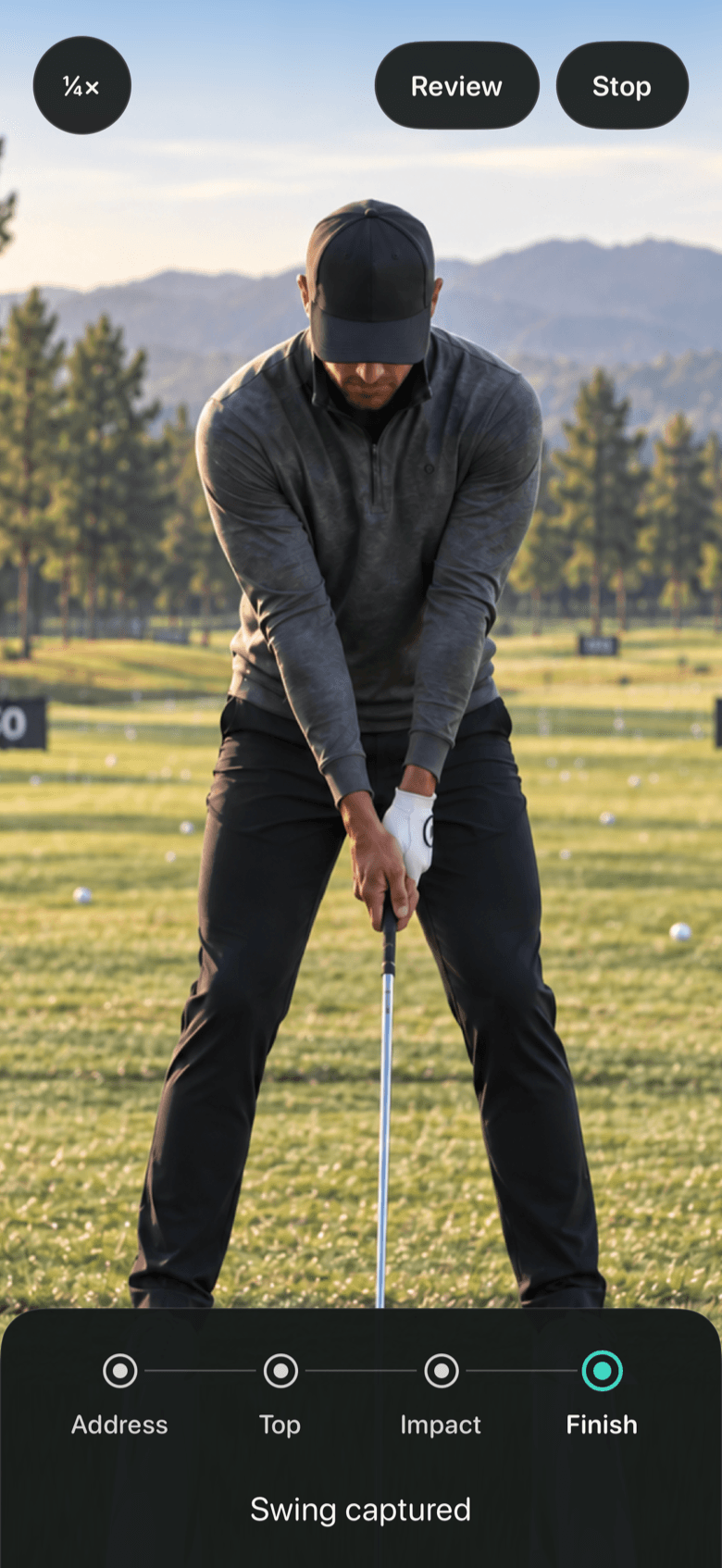
Address
You are in frame, hands together and still for a moment. The app arms and the instruction reads Swing when ready.
Top
Your hands rise above shoulder height. The rail lights Top and the replay window opens a second before this moment.
Impact
Hands drop fast through the ball. This is the shortest phase and the one the buffer is there to catch.
Finish
Hands rise again and settle. When they hold still, or after a second, the swing is captured and replay begins.
The buffer
Five seconds, always.
While the app is watching it keeps the last five seconds of camera frames in memory and nothing more. Older frames are thrown away as new ones arrive. When a swing is captured, the app takes the frames from one second before the backswing started to one second after the finish and plays them back at the speed you chose.
That is why there is no record button and no clip to trim: the buffer already contains the swing by the time you have finished it. It is also why nothing accumulates on the phone. A swing that is not saved simply ages out of the buffer within five seconds.
Replay and saving
Watch, then decide with one hand.
Replay starts by itself, half a second after the finish. The deck below the video shows the position, the elapsed and total time, and the active speed: quarter, half or full. Tap the readout on the live screen to change the speed for the next swing.
To keep a swing, raise your left hand above your head while the replay plays and hold it for about a second. The clip is encoded and written to your Photos library, and the app confirms with Saved to Photos. The right hand is deliberately ignored so a wave or a shielded eye never saves by accident. Done ends the replay early; otherwise the app returns to watching on its own.
Requirements
What it needs.
- An iPhone on iOS 26
- Any model. The app uses the front camera and Apple’s body tracking; no LiDAR or Pro model is required.
- Somewhere to stand it
- Two to three metres away at about hip height, screen facing you. A small tripod or a clip on your bag is ideal.
- Your whole body in frame
- Head to feet, with room above your head for the club at the top. The instruction line tells you when you are not.
- Light
- Daylight or a normally lit indoor bay. In dim light the camera slows down and the replay gets choppy.
- Permissions
- Camera, to see you. Photos, add-only, to save clips. Nothing else, and no account.